
Grocery billing that keeps up with your counter.
Scan and bill, sell loose items by weight, sell by the case to shops, and keep every customer's credit in one place. Retail, wholesale or both.
No card needed to start. Yearly plans after the trial.
- Barcode and weighing scale
- GST or non-GST, per bill
- Customer credit
- Works offline
Set it up the way your business runs
Retail
Walk-in customers at MRP.
- Barcode POS or keyboard billing
- Loose by kg and g, packs and pieces
- Cash, UPI, card or credit
Retail and wholesale
A shop in front, a godown behind.
- Each side with its own trade name
- Separate bill series, one stock
- GST or non-GST default per side
Wholesale
For shops, hotels and canteens.
- Wholesale rates, case or piece
- Free scheme quantity and discounts
- IGST, e-invoice and e-way bill
What Kite Grocery does for you
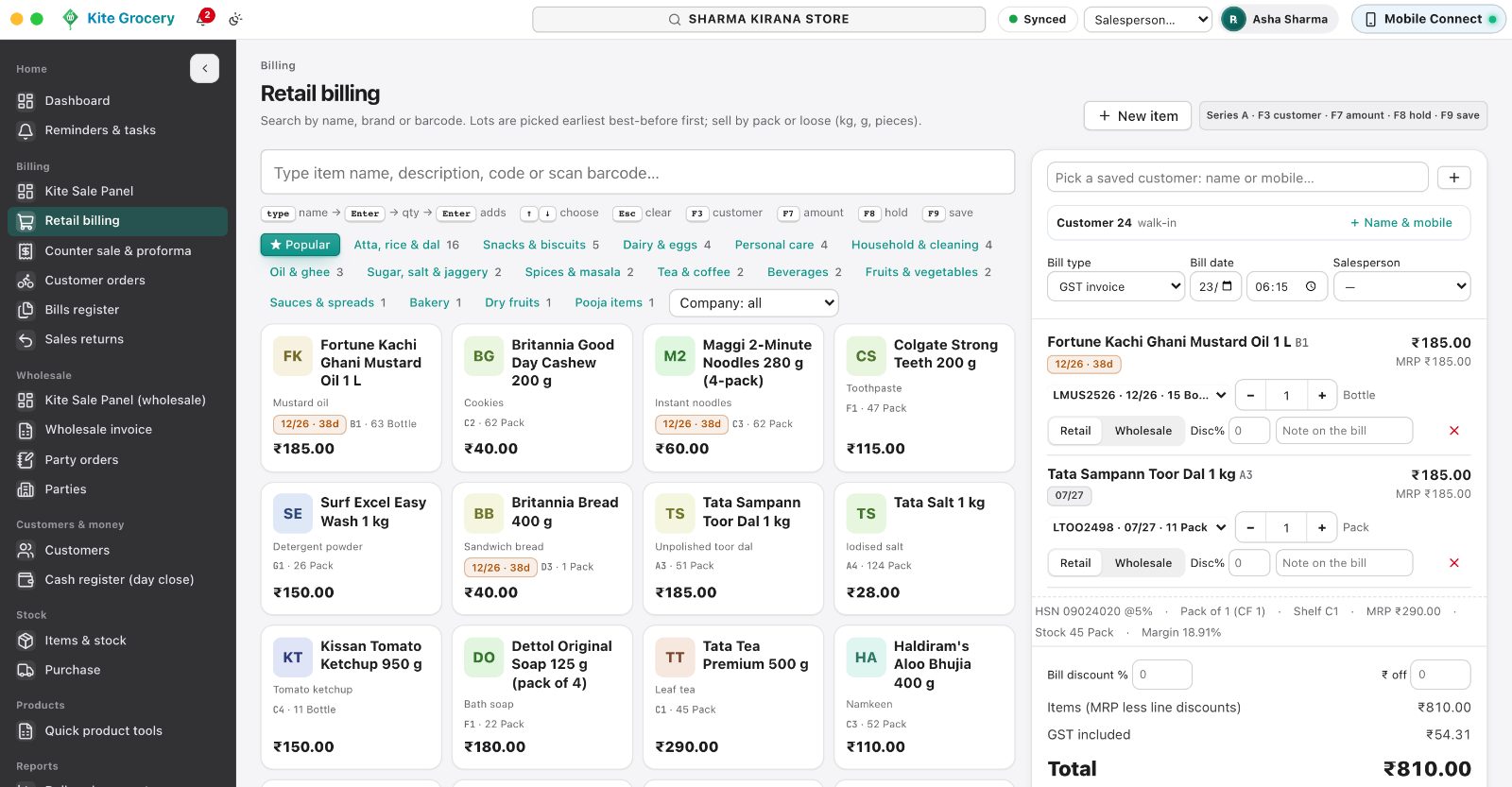
Fast barcode billing
Scan or type and the bill builds itself. Hold bills, split payments across cash, UPI and card, and print on 80 mm or A4.
Loose items and weighing scale
Sell rice, dal or sugar by kg or grams from a 25 kg bag. A USB scale puts the weight straight into the bill.
Keyboard billing
The old-software way: function keys, Enter to move, no mouse needed. Shortcut keys for quantity, discount and last price.
Customer credit
Find customers by mobile number, set credit limits, see what they owe and send a reminder on WhatsApp.
Best-before dates
Packed goods carry a batch and best-before date. The counter sells the oldest stock first and warns before expiry.
Purchase and reorder
Supplier bills with free quantity and GST, supplier dues, a list of items running low, and purchase orders.
Price tags and Excel upload
Print barcode labels, including weight labels for goods packed in the shop. Upload your whole item list from Excel.
Reports and GST
Sales, purchase, stock, expiry, profit and dues, and GSTR-1 and 3B figures. Excel or print.
Staff, PINs and branches
Each person sees only what their role allows. Run more than one shop with branches.
Up and running the same day
Sign up
Choose retail, wholesale or both, and enter your shop details.
Add your items
Upload from Excel, add fruits and vegetables in one tap, or bring data from your old software.
Start billing
At the counter computer or on your phone. Connect your printer, scanner and scale.
See how the counter works it out
Use it where you work
Phone app
The phone app works on the same books as your computer.
Computer app
Windows, Mac and Linux. Full screen, printers and scanners, and it keeps working without internet. After you sign in, download it from your back office (Apps and downloads).
Sign in to download →Kite Grocery plans
Yearly plans, no setup fee. Start with the free 7-day trial.
Loading the price list…
Common questions
Can I sell loose items by weight?
Yes. Set an item as sold by kg or grams. You can type the weight or read it from a USB weighing scale.
Can one shop bill both retail and wholesale?
Yes. Each side can use its own trade name and bill series, while the stock stays the same.
Can I make a bill without GST?
Yes. Choose GST tax invoice or non-GST cash memo as the default, and change it on any bill.
Does it work without internet?
Yes. Bills are saved on the computer or phone and go to the cloud when the internet is back.
How does the free trial work?
You get 7 days with every feature and no card is needed. After that, pick a yearly plan.